

About This Post
This post shares my experience learning Ukrainian online at the Ukrainian Institute London and introduces this option to those who may not have considered it.
I recently completed my beginner A1.1-level Ukrainian online course with the Ukrainian Institute London.
A1.1-level Ukrainian (at the Ukrainian Institute London) is a beginner course for speakers of any other Slavonic language. A1 level is for beginners who do not speak any other Slavonic language.
How I started to Learn Ukrainian Online
When I first started learning Ukrainian, like many people, I chose a language learning app. After a month on my chosen app, I realised I was not learning much. I found the app to be poorly structured for my needs, as it made annoying noises when I made a language error and provided little or no feedback about the error.
Meet the Ukrainian Institute London
I decided I needed an online (human) tutor, and after searching the internet, I came across the Ukrainian Institute London’s language school. I searched for reviews of their language school and saw that they had a very high approval rating, well above the app I had chosen.
What I Thought About the Ukrainian Institute London’s Ukrainian Language Course
After recently completing my A1-level online class with the Ukrainian Institute London, I am delighted with my progress, which I feel was clearly down to the teacher-led learning, which incorporated real-time feedback, Ukrainian cultural context, and, importantly, the tutor’s high skill in teaching the language.
If you want to learn Ukrainian and can pay (less than you might expect for three months), I highly recommend the Ukrainian Institute London.

You can also learn Ukrainian in person at the Ukrainian Institute London’s Holland Park and Paddington venues. The Institute also offer courses at higher levels.
Typing in Ukrainian Cyrillic on a Windows Desktop Computer
Ideally, you will need to purchase the correct type of Keyboard. If you are in the UK, you need a keyboard with Ukrainian Cyrillic legends on the keys; it should be a dual-language Ukrainian-UK keyboard, UK/ISO-compliant, and have an L-shaped enter key. This will ensure that the Cyrillic characters (which are unique in the Ukrainian alphabet) of Ґґ, Єє, Іі, and Її are present on the keyboard. This type of keyboard will have the correct placement for your UK punctuation symbols, and it will also include a £ sign. Note: Not all keyboards sold in the UK that are labelled as Ukrainian Cyrillic are UK/ISO-compliant.
A Ukrainian Cyrillic Keyboard Recommendation
After extensive research, I chose the Ukrainian/UK Keyboard Black (Part Number: NK101-ISO-UKR) from the Keyboard Company, a specialist UK keyboard supplier. Here is the product link.

A bonus is that this keyboard has dual British-English and Ukrainian Cyrillic legends. The tactile resistance is quite good when typing. My only quibble is the loud typing noise; a “clack” occurs when the plastic key cap hits the keyboard frame. One solution is to use a large, high-quality mouse pad under the keyboard and mouse, though this may not eliminate all noise. Installing O-rings (rubber or silicone rings) on each key cap stem could reduce the noise further.
Windows 11 – Add a Ukrainian Language Pack and Ukrainian Keyboard Layout
In Windows 11, you will need to add the Ukrainian language pack and its associated keyboard layout through your Windows settings. Here is a tutorial that will guide you through the process (external Link). The tutorial will also explain how to switch the keyboard language.
Have Both Keyboards Plugged in to Your Computer
You can simplify your workflow by having both your original UK keyboard and the new dual-language keyboard plugged into your computer. If you wish to type in Ukrainian, ensure your second keyboard is switched to the correct language. When you wish to type in English, switch your keyboard back to English.
You can switch between active layouts instantly using a simple shortcut: press and hold the WinKey, then press the Spacebar repeatedly to cycle through all installed layouts. Your taskbar at the foot of your computer screen will show which keyboard language you have selected: ENG UK, or YKP (Ukrainian). YKP is the Latin transliteration of the first three characters of the word UKRAINIAN, УКРАЇНСЬКА in Ukrainian Cyrillic.
Type in Ukrainian on Your Samsung Galaxy Android Phone
That is even easier than setting up the Ukrainian language on your Windows 11 computer. Here is a tutorial that will guide you if you are using a Samsung Galaxy smartphone.
Conclusion – The Ukrainian Institute London – A Good Choice to Learn Ukrainian
Now, back to my learn Ukrainian journey, a work in progress. Learning online with the Ukrainian Institute London has been overwhelmingly fun and positive, and I highly recommend the Institute.
There are no affiliate links in this post or on this website.
External Links for the Ukrainian Institute London
Website: Their Language Learning School and Home Page
Facebook Page – X Account – YouTube – Instagram – Blueskey
Subscribe to future posts by email. No spam, just an email when a new post is published. View the posts.
Dive Deeper: Other Ukraine Coverage. Recent posts are listed below.
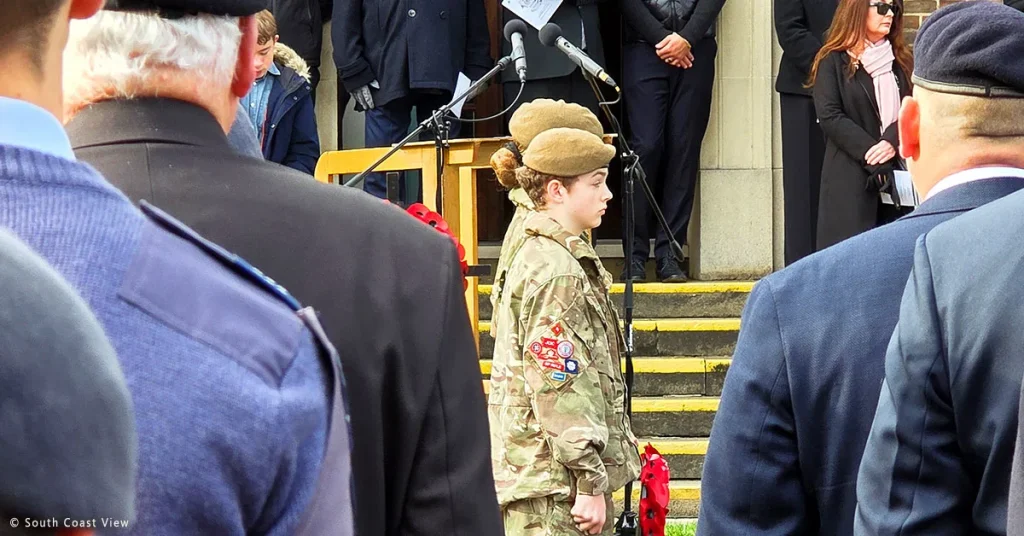
Remembrance Sunday Ceremony in Worthing on 9 November 2025

Greg Terry – Breaking News From Ukraine

Brandon Mitchell – Infantry Soldier With The Armed Forces of Ukraine
